
🛍️ Riachuelo
Senior Frontend Engineer - React Native 📅 Aug 2020 - Aug 2022

🌲 Project Treemap
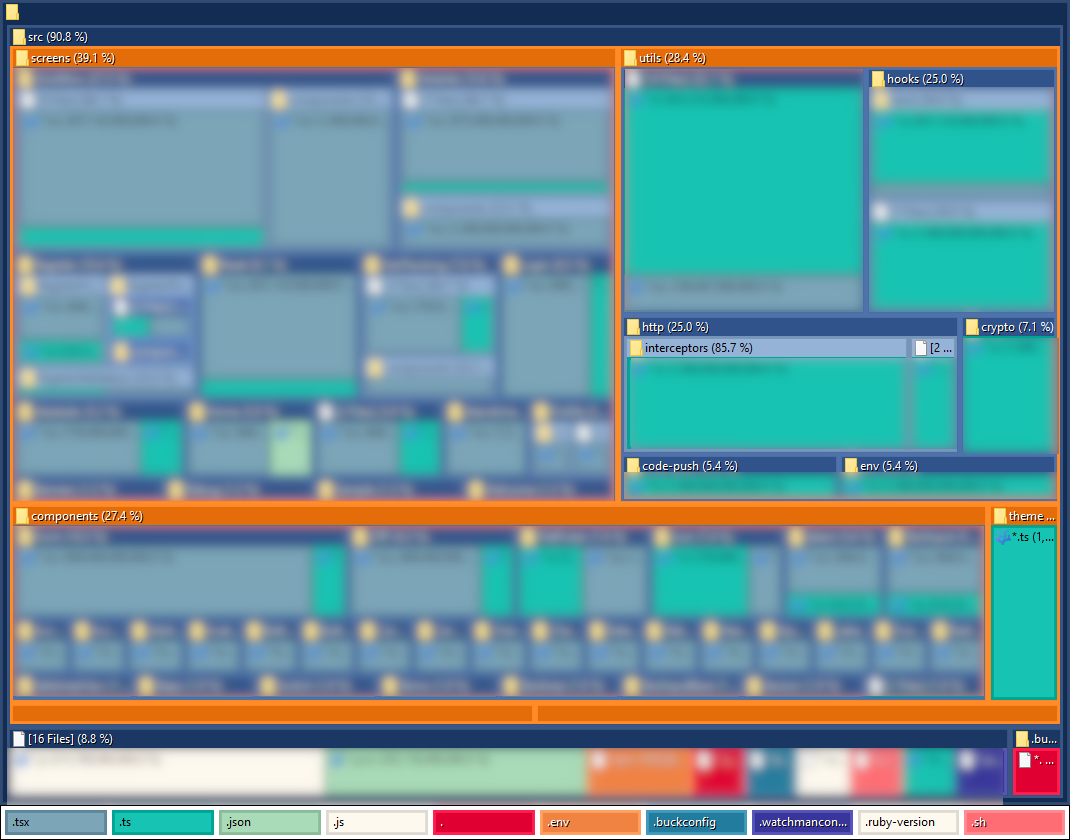
🧱 Tech Stack
- Analytics: React Native Firebase Analytics
- Animations: Lottie React Native, React Native Collapsible, React Native Modal, React Native Modal Datetime Picker, React Native Switch Toggle
- Authentication: React Native OTP Framework, RN Local Authentication, RN SMS Retriever
- Build Configuration: Babel Plugin Root Import, Metro React Native Babel Preset, React Native Config
- Camera: React Native Camera
- Charts: React Native SVG Charts
- Crypto: Crypto ES, JSEncrypt
- Data: Axios, Axios Cache Adapter, Axios Retry, Cheerio
- Dates: Day JS, React Native DateTimePicker
- Deployment: App Center Code Push, React Native Code Push
- Device: React Native Device Info, React Native Version Number
- Documents and Files: React Native Blob Util, React Native Document Picker, React Native File Viewer, React Native PDF, React Native Share
- Encryption: React Native Sensitive Info
- Forms Validation: Hookform Resolvers, React Hook Form, Yup, Yup Locale PT
- Internationalization: Brazilian Utils
- JavaScript Framework: React, React Native
- Media: React Native Image Pan Zoom, React Native Image Picker, React Native Image Slider Box, React Native SVG, React Native SVG Transformer
- Monitoring: Reactotron React Native, Reactotron Redux
- Navigation: React Navigation Native, React Navigation Native Stack
- Permissions: React Native Permissions
- Pickers UI: React Native Picker, React Native Picker Module
- State Management: Redux Thunk, Redux Toolkit
- Storage: React Native Async Storage
- Styling: React Native Keyboard Aware Scroll View, React Native Lottie Splash Screen, React Native Ratings, React Native Safe Area Context, React Native Screens, React Native String Style
- Testing: React Test Renderer
- TypeScript Linting: ESLint, React Native ESLint Config, TypeScript, TypeScript ESLint Parser, TypeScript ESLint Plugin
- Utilities: Day JS, Lodash, Randomatic
🌟 STAR Cases
STAR Case - Insecure Client-Server Communication
Situation
The company launched a security initiative requiring protection of confidential data on rooted devices, emulators, and man in the middle attacks. It required to strengthen security beyond HTTPS and ensure compliance without adding latency or disrupting the user experience.
Task
Implement an additional security mechanism to protect data exchanged between React Native and Java endpoints. Ensure key management, payload encryption, and compatibility with existing systems.
Actions
Instead of relying solely on HTTPS, I implemented an RSA + AES model, where each request was encrypted and decrypted on both React Native client and Java Server.
On the frontend, I created a TypeScript module that generated AES keys per session, encrypted them with the public RSA key, and transparently handled encryption and decryption through Axios interceptors.
On the backend, I developed a Java utility library to mirror this logic. It managed key exchange, payload decryption, and response re-encryption, ensuring perfect alignment between platforms.
Below is Axios interceptor to encrypt payloads, creating a transparent and reusable security layer across the entire app.
import { AxiosRequestConfig, AxiosResponse } from 'axios';
import { ... } from '~/utils/crypto';
import { ... } from '~/utils/env';

import { Interceptor } from './types';

const onRequest = async (
  config: Promise<AxiosRequestConfig>,
): Promise<AxiosRequestConfig> => {
  const oldConfig = await config;

  const { data: value } = oldConfig;

  const publicKey = await ...();

  const newConfig = {
    ...oldConfig,
    data: {
      data: encrypt({
        publicKey,
        value,
      }),
    },
  };

  return newConfig;
};

export const hybridEncryptInt: Interceptor = {
  onRequest,
};

const onResponse = async (
  response: Promise<AxiosResponse>,
): Promise<AxiosResponse> => {
  const _response = await response;

  try {
    const privateKey = await ...();
    const data = decrypt({
      privateKey,
      value: _response.data.data,
    });
    return { ..._response, data };
  } catch (err) {
    console.error(`[HYBRID DECRYPT ERROR]`, err);
    return _response;
  }
};

export const hybridDecryptInt: Interceptor = {
  onResponse,
};
Below is the Java counterpart that handled the server-side decryption and encryption.
package hybridCrypto;

public class RSACrypt implements Serializable {

	public static void generateKeys() {
		try {
			KeyPairGenerator keyGen = KeyPairGenerator.getInstance("RSA");
			...
		} catch (Exception e) {
			...
			e.printStackTrace();
		}
	}

	private static PublicKey getPublicKey(String base64PublicKey) throws Exception {
		try {
			X509EncodedKeySpec keySpec = new ...;
			return KeyFactory.getInstance("RSA").generatePublic(keySpec);
		} catch (Exception e) {
			throw new Exception("Erro na chave pública", e);
		}
	}

	private static PrivateKey getPrivateKey(String base64PrivateKey) throws Exception {
		try {
			PKCS8EncodedKeySpec keySpec = new ...;
			return KeyFactory.getInstance("RSA").generatePrivate(keySpec);
		} catch (Exception e) {
			throw new Exception("Erro na chave privada", e);
		}
	}

	private static byte[] encrypt(String plainText, PublicKey publicKey) throws Exception {
		Cipher cipher = getCipher();
		cipher.init(...);
		return cipher.doFinal(...);
	}

	private static byte[] decrypt(byte[] cipherText, PrivateKey privateKey) throws Exception {
		Cipher cipher = getCipher();
		cipher.init(...);
		return cipher.doFinal(...);
	}

	private static Cipher getCipher() throws Exception {
		return Cipher.getInstance(...);
	}

	public static String aesEncrypt(String plainText, String base64PublicKey) throws Exception {
		PublicKey publicKey = ...;
		byte[] cipherText = ...;
		return toBase64(cipherText);
	}

	public static String hybridEncrypt(String plainText, String base64PublicKey) throws Exception {
		AESCrypt aescrypt = new AESCrypt();
		String aesEncryptedData = aescrypt.encrypt(...);

		String encryptedText = ...;
		return encryptedText;
	}

	public static String decrypt(String cipherText, String base64PrivateKey) throws Exception {
		byte[] cipherBytes;
		cipherBytes = fromBase64(cipherText);
		try {
			PrivateKey privateKey = ...;
			String decryptedText = ...;
			return decryptedText;
		} catch (Exception e) {
			throw new Exception("Erro na decriptacao", e);
		}
	}

	public static String hybridDecrypt(String encryptedText, String base64PrivateKey) throws Exception {
		AESCrypt aescrypt = new AESCrypt();
		String decriptedData = ...;
		return decriptedData;
	}

	private static byte[] fromBase64(String str) {
		return DatatypeConverter.parseBase64Binary(str);
	}

	private static String toBase64(byte[] ba) {
		return DatatypeConverter.printBase64Binary(ba);
	}
}
Results
- Auditable compliance: the hybrid layer met internal security standards and passed the company audit for handling executive-sensitive data.
- Developer transparency: Axios interceptors and mirrored Java utilities made encryption invisible to business logic and developer workflows.
- Minimal latency: encryption added no noticeable delay to user actions and did not degrade UX.
- Reduced incident surface: mitigated risks from rooted devices, emulators, and man-in-the-middle attacks.
STAR Case - Design System Drift
Situation
Initially built with React Native Paper as the design choice, the project later underwent UI redesigns and custom management requests that pushed the library beyond its intended scope. The team had stretched component customizations to their limit, creating complex overrides and inconsistent layouts. This led to design drift across the app and made the codebase increasingly difficult to maintain and scale.
Task
Replace the overextended UI library with a flexible styling system that could keep pace with frequent design changes. The new solution needed to let developers build and style components in one place, reduce the need for overrides, and speed up page creation without sacrificing consistency or readability.
Actions
I designed and built React Native String Style, an inline styling tool inspired by Tailwind CSS, to replace React Native Paper and eliminate dependency on rigid components. It enabled developers to write utility-based class strings directly in JSX, merging structure and styling in a single file.
I refactored screens and components to adopt this syntax, simplifying layout creation and removing the need for complex styled component files. I also introduced design tokens for colors, spacing, and typography, enabling quick global updates whenever the design system changed.
Below is an example showing the two ways to use the styling tool: converting objects to styles with objToRNStyle() and applying inline utility classes with sstyle.
export const RadioButton: React.FC<RadioButtonProps> = (...}) => {
  const [selectedItem, setSelectedItem] = useState(value);

  const handleOnPress = (radioItem: RadioItem) => {
    setSelectedItem(radioItem);
    if (onPress) onPress(radioItem);
  };

  const buttonStyle = objToRNStyle({
    position: 'jcc aic fg',
    height: 'min-height-36',
    border: 'w-100% bd-ra-4 bg-radioButton.bg bd-width-1 bd-style-solid',
    active: 'bd-color-radioButton.bd.active',
    inactive: 'bd-color-radioButton.bd.inactive',
  });

  return (
    <>
      {!!title && (
        <View sstyle={`pd-b-16${hp ? ' pd-l-16' : ''}`}>
          <Text sstyle="fs-13 lh-16 ff-me c-text.title">{title || ''}</Text>
        </View>
      )}
      <View sstyle={`fdr${hp ? ' pd-h-' + hp : ''}`}>
        {radioItems.map((radioItem, index) => {
          const active = selectedItem?.value === radioItem.value;
          const lastItem = index === (radioItems?.length || 1) - 1;
          return (
            <View sstyle={lastItem ? 'fg' : 'fg pd-r-8'} key={index}>
              <TouchableOpacity onPress={() => handleOnPress(radioItem)}>
                <View
                  style={[
                    _.values(buttonStyle),
                    active ? buttonStyle.active : buttonStyle.inactive,
                  ]}>
                  <Text sstyle="fs-14 lh-20 ff-me">{radioItem.label}</Text>
                </View>
              </TouchableOpacity>
            </View>
          );
        })}
      </View>
    </>
  );
};
Results
- Aligned consistency: one styling language kept visuals uniform across every screen.
- Clearer readability: concise syntax made components easier to understand and simplified maintenance.
- Easier maintenance: removed dependency on heavy UI libraries and complex overrides.
- Faster onboarding: new developers adapted quickly thanks to the familiar Tailwind-style syntax.
- Greater flexibility: design updates were applied quickly without breaking existing layouts.
STAR Case – Inconsistent State Propagation
Situation
Overuse of Redux for managing simple UI and navigation states caused bloated reducers, tight coupling, and limited scalability.
Task
Solve the limitations of a Redux-only architecture by establishing a more flexible state management model. It needed to support different state scopes without losing consistency, clarity, or performance across the app.
Actions
To separate concerns between global, local, and transient state, I introduced React Context for feature-specific flows and navigation parameters for transient data transfers. To keep the team aligned, I documented the new conventions, built typed navigation helpers, and refactored existing modules to follow the new layered structure.
Below is an example showing how a screen combines Redux, Context, and navigation parameters to manage all states in an organized way.
import { useRoute } from '@react-navigation/native';
import React, { useContext, useState } from 'react';
import { useSelector } from 'react-redux';

export const ProfileScreen = () => {
  const route = useRoute();
  const { biometricsEnabledRoute } = (route?.params || {}) as any;

  const [biometricEnabled, setBiometricEnabled] = useState(!!biometricsEnabledRoute);
  const context = useContext(...);

  const profile = useselector(...)

  const handleOnPressBiometrics = async () => {
    const newValue = !biometricEnabled;

    setBiometricEnabled(newValue);
    biometrics.toggle(newValue);

    if (!newValue) return;

    modal.warning({
      context,
      ...
      description: `Hi ${profile.name}...`,
      buttons: [
        ...
      ],
    });
  };

  return (
    ...
  );
};
Results
- Cleaner architecture: unified rules removed conflicting data-handling patterns.
- Faster debugging: predictable data flow simplified issue tracing across screens.
- Improved performance: isolating state scope reduced unnecessary re-renders.
- Lower maintenance cost: fewer duplicated states simplified refactors.
- Stronger reliability: consistent data handling prevented broken flows during navigation.
- Team alignment: shared conventions improved onboarding and collaboration between developers.